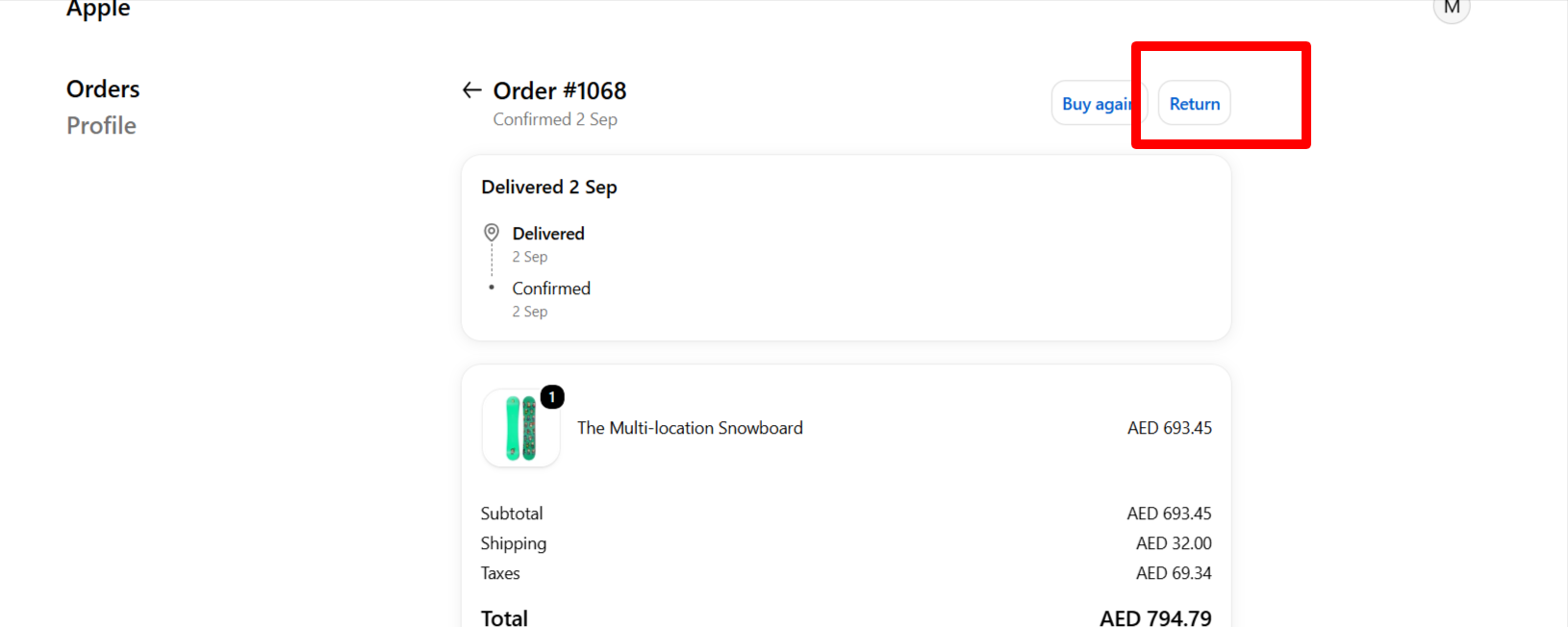
Enable Return order management in Shopify
1. Login to you Shopify store admin account.
2. Go to Apps -> Nomad Wear it will open the setting page.
2. Go to Apps -> Nomad Wear it will open the setting page.
3. Check the Return checkbox to enable the return in you store.
4. To show the return button and status on customer order page go to Settings-> Customer Accounts -> Configurations Click on Customize button
5. Then click on Edit button
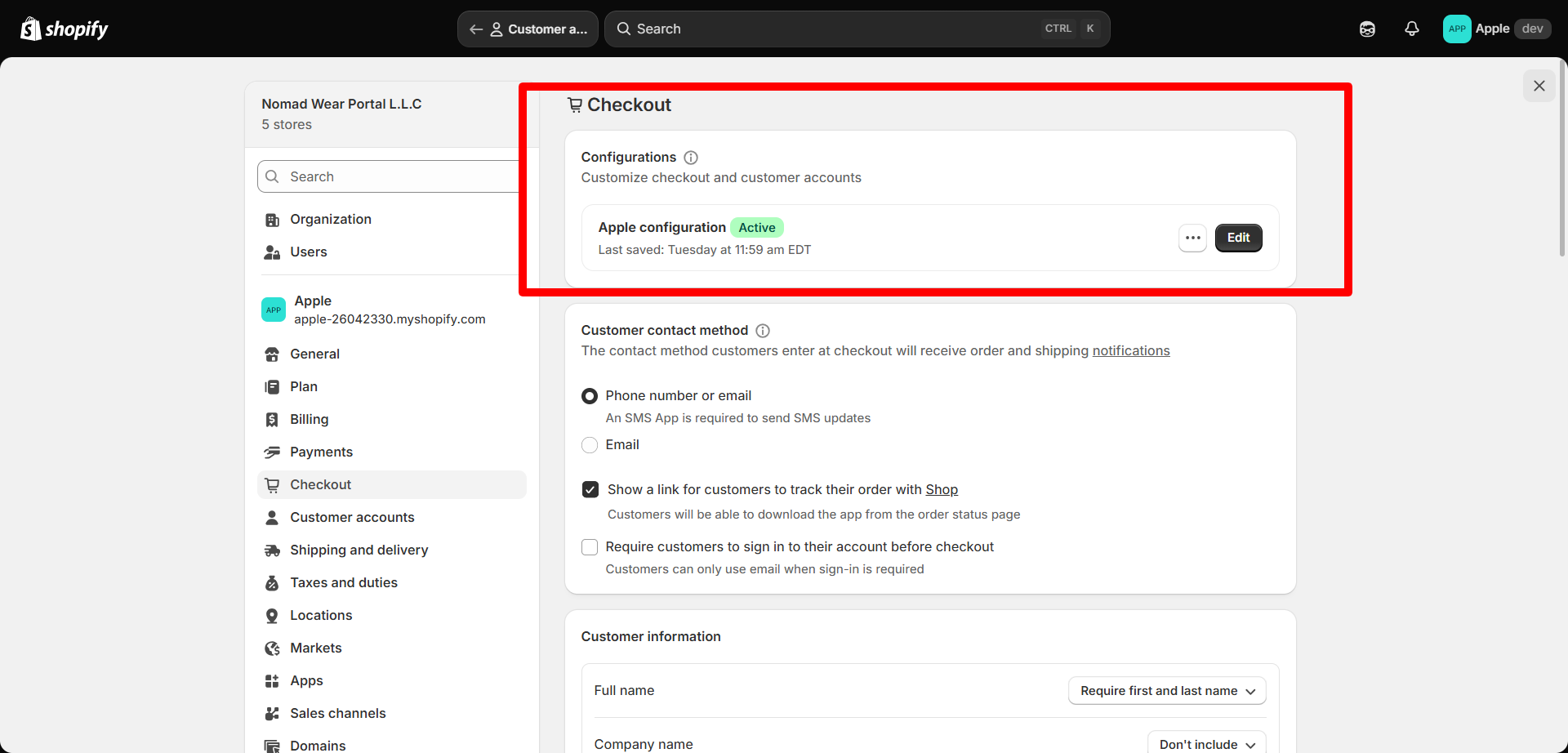
6. It will open the checkout customization page. Select the orders page from drop down to show the return button delivered orders.
7. Then add the Nomad wear return order block under order actions and save 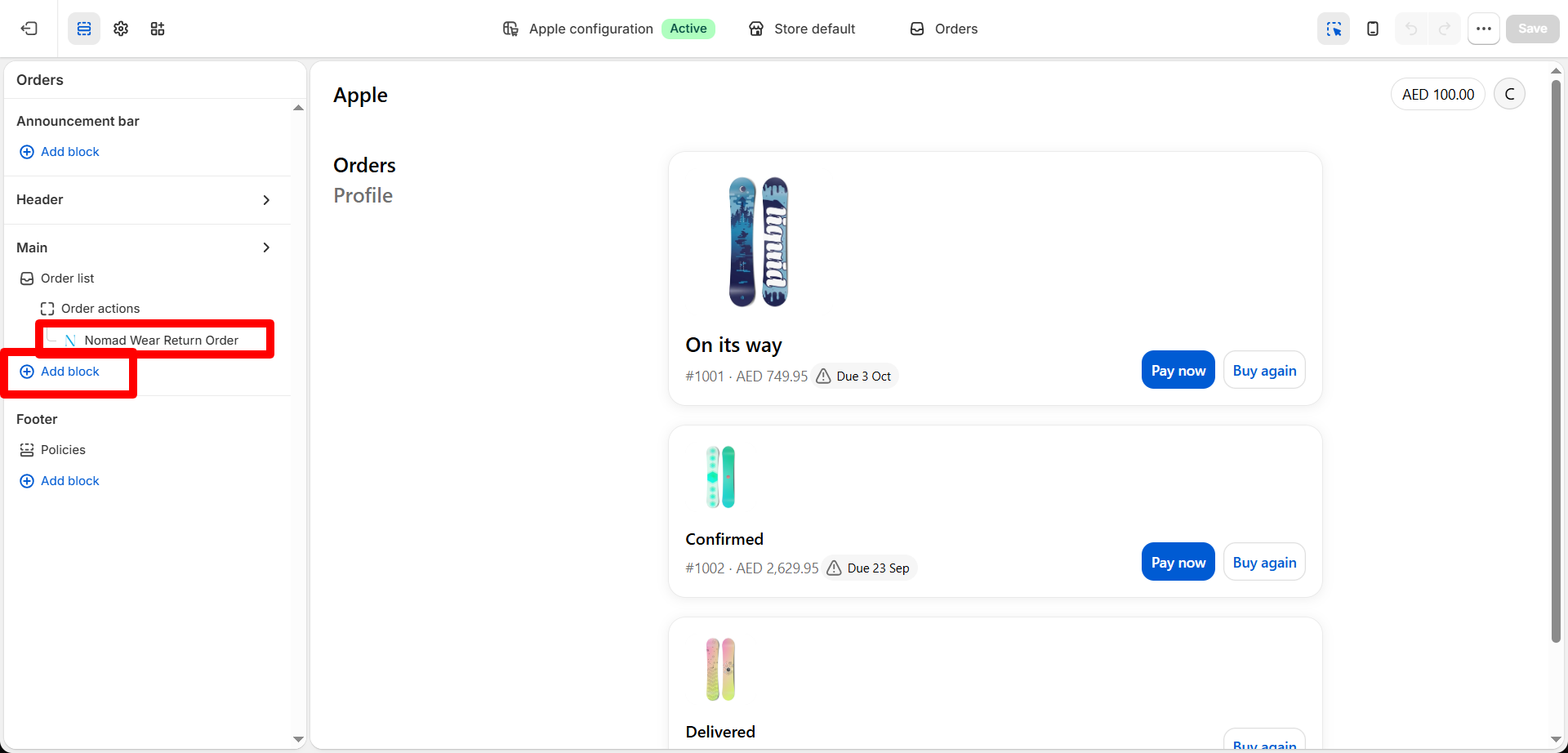
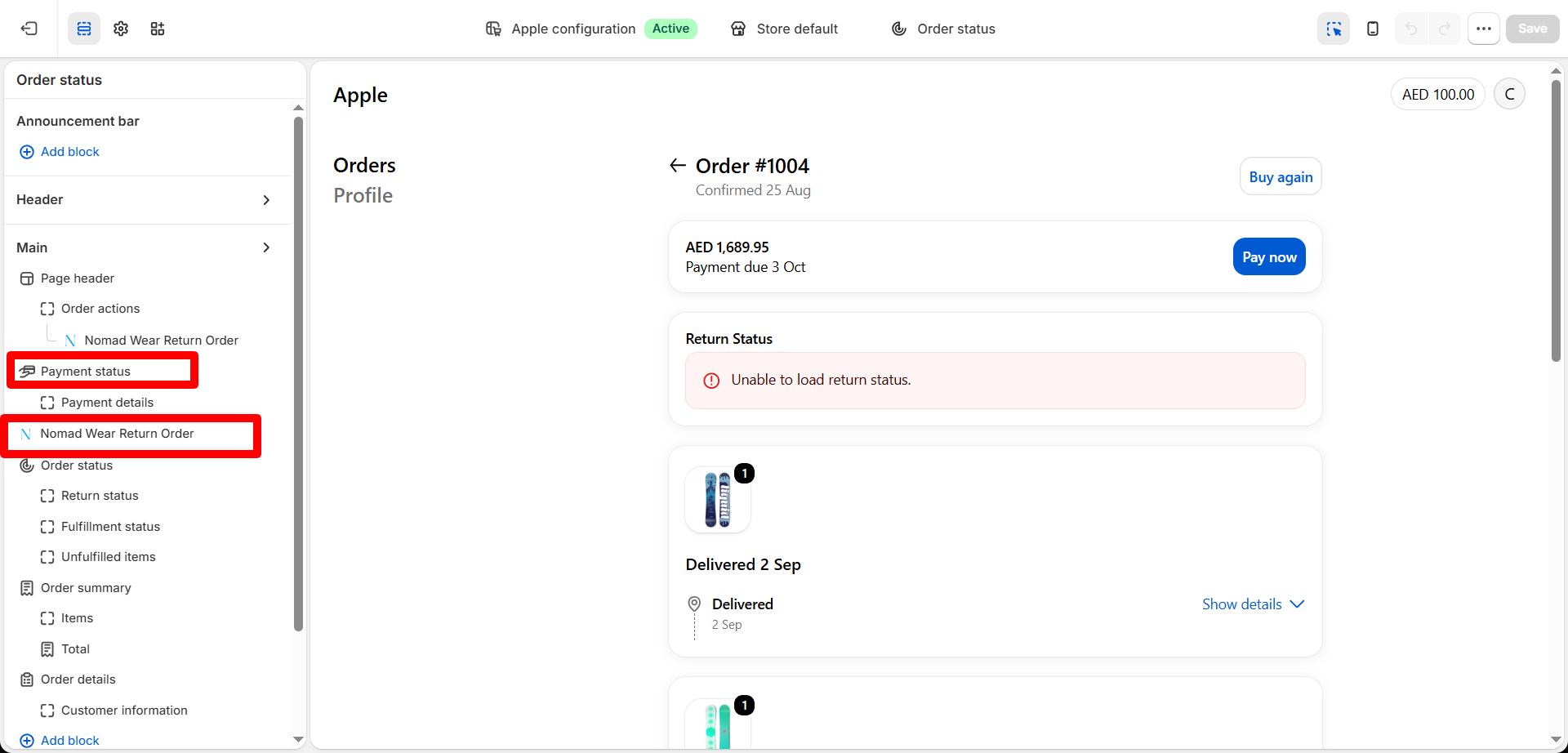
8. To show the return status block after customer submit the return. Select the Order status from dropdown.
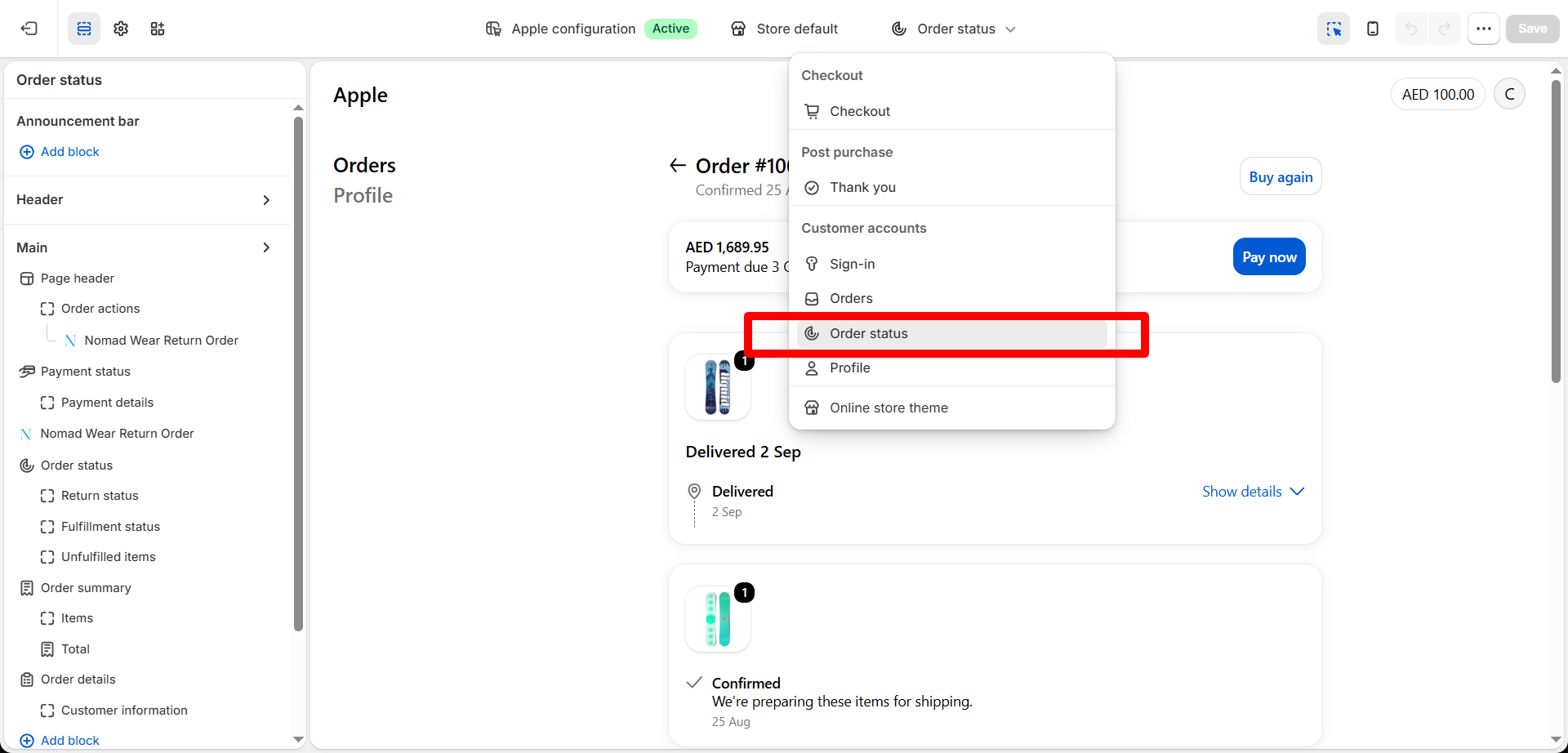
9. Then add the Nomad wear return order block under payment status and save.
10. After both block added customers can see the order return button and status on order page.