How to prepare an order for delivery
1. Login to Brand dashboard.
2. Go to Order management -> Pending Orders.
3. Click on view order icon under action column.
4. Then Click on Prepare Order button
5. It will open the timing process popup please add the time and click submit.
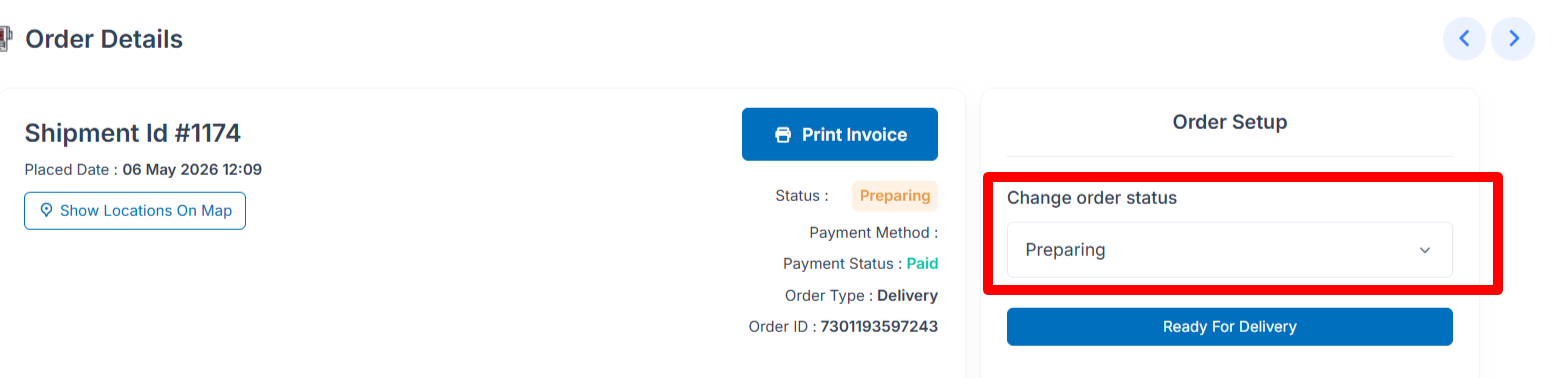
6. it will changed the order status to Preparing
Related Articles
How delivery boy Delivered the order
1. Download and install our Nomad Wear Rider app for for iPhone and Android if not installed yet 2. Then login to your account. 3. After login you will see all the orders. 4. Click on order details button which you want to deliver. 5. Then you will ...How to change an order status to Ready for delivery
1. Login to Brand dashboard. 2. Go to Order management -> Preparing. 3. Click on view order icon under action column. 4. Then click on Ready for delivery button 5. It will open the confirmation popup. 6. Click on Yes button. 7. After click on Yes ...How delivery boy accept the orders
1. Download and install our Nomad Wear Rider app for for iPhone and Android if not installed yet 2. Then login to your account. 3. After login you will see the order which are ready for delivery. 4. Click on order details button which you want to ...How Customer find the Verification code on delivery
1. Downloads and install our user app for iPhone and Android if not installed yet 2. Fill up your Email or Phone and password. 3. After login you will see the order which placed with their status. 4. Click on order which Out for delivery. 5. Then you ...How customer can check live order tracking
1. Downloads and install our user app for iPhone and Android if not installed yet 2. Fill up your Email or Phone and password. 3. After login you will see the order which placed with their status. 4. Click on order which Out for delivery. 5. Then you ...